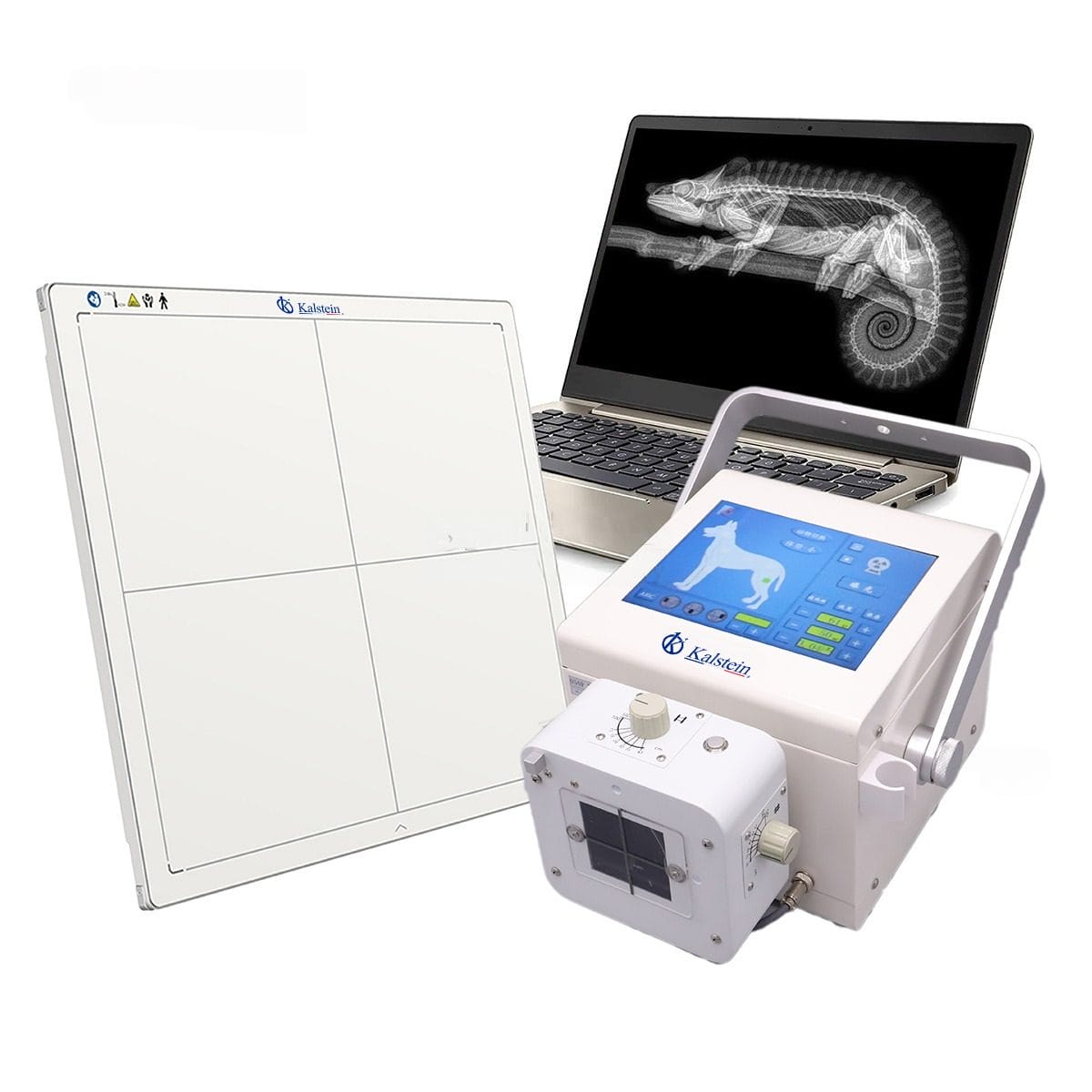
Installation and Commissioning Guide for the YR06160 Portable Digital Veterinary X-Ray
The YR06160 Portable Digital Veterinary X-Ray system represents a significant advancement in veterinary imaging technology. This guide outlines the installation and commissioning process, ensuring that operators can set up the device efficiently and correctly to achieve optimal performance.
Understanding the YR06160: Key Features and Specifications
| Feature | Specification |
|---|---|
| Model | YR06160 |
| Power | 5kW |
| KV Range | 40~110kV |
| MA Range | 20~100mA |
| Exposure Time | 40ms~4000ms |
| Weight | 19kg |
| Dimensions | 290mm x 265mm x 230mm |
| Touch Screen | 10.4-inch |
Unboxing and Initial Setup
The first step in the commissioning process involves unboxing the YR06160. Ensure that all components are present and undamaged before proceeding. Here is a checklist for unboxing:
- YR06160 Portable Digital Veterinary X-Ray System
- Touchscreen Control Panel
- X-Ray Tube and Accessories
- Power Supply Unit
- Operating Manual
Once checked, follow these steps for the initial setup:
- Find a stable and level surface to place the unit.
- Connect the power supply according to the specified voltage range.
- Set up the touch screen control panel at a comfortable height for operators.
Power-Up Sequence and Calibration
After setting up the physical components, the next step is to power up the YR06160. Follow these steps:
- Ensure that the power supply is fully connected.
- Press the power button on the main unit.
- Wait for the system to boot up, which may take a few moments.
Calibration is crucial for accurate imaging. Here’s how to perform the first-run calibration:
- Access the calibration menu from the touchscreen interface.
- Follow on-screen prompts to adjust the settings to match environmental conditions.
- Run a test exposure and check the results against standard benchmarks.
Network and Connectivity Setup
The YR06160 supports both WiFi and wired connections. For network setup:
- Access the network settings from the touchscreen.
- Select your preferred connectivity option (WiFi or tethered).
- Input the necessary credentials for your network.
After connectivity is established, verify that the system can communicate with external databases or cloud services if required.
Common Setup Mistakes and How to Avoid Them
While setting up the YR06160, operators may encounter common pitfalls. Here are some mistakes to watch out for:
- Improper leveling of the unit can lead to inaccurate readings; always ensure the device is perfectly level.
- Incorrect voltage supply can damage components; double-check power specifications before connecting.
- Skipping calibration or setup procedures may result in inconsistent imaging; always follow the manual closely.
Frequently Asked Questions
What are the ideal operating conditions for the YR06160?
The YR06160 operates best in a controlled environment where temperature and humidity are maintained within recommended levels. Ensure proper ventilation and avoid exposure to extreme conditions to prolong the device’s lifespan.
How do I troubleshoot error codes on the YR06160?
Refer to the user manual for a detailed error code list. Most error codes can be resolved by checking the connections, ensuring proper calibration, and reviewing the power supply.
What maintenance is required for the YR06160?
Routine maintenance should include cleaning the touchscreen, checking for software updates, and ensuring that the x-ray tube is functioning correctly. Schedule periodic professional evaluations to maintain device integrity.
Can I use the YR06160 for both large and small animals?
Yes, the YR06160 is versatile and can be adjusted for various animal sizes by altering the exposure settings and using appropriate positioning aids.
How do I ensure the safety of operators and animals during use?
Always follow safety protocols, use lead protection barriers, and ensure that the area is clear of unnecessary personnel during x-ray operations. Regular training and adherence to safety guidelines are essential.
Conclusion and Call to Action
If you are looking for a fusion of innovation and quality, you have come to the right place. At Kalstein, we offer you the luxury of exploring our exclusive catalog of laboratory equipment. We manufacture every device to the highest standards of excellence. Our intuitive and seamless online purchasing channels are designed for your convenience, securing the most competitive prices. Hesitate no longer — we bring science to life, it is time to become part of our community.