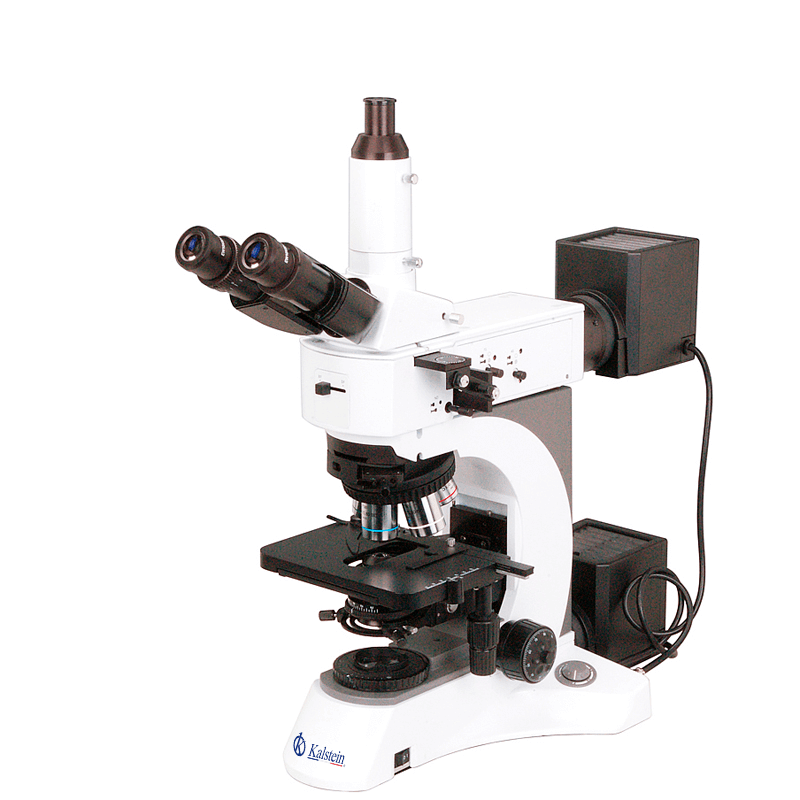
Common Errors and Troubleshooting by Symptoms for the YR0256 Microscope
The YR0256 microscope offers a robust and versatile optical system, facilitating a range of applications from clinical to industrial. However, like any sophisticated equipment, users may encounter issues that require troubleshooting. This article delves into common errors associated with the YR0256, structured by symptoms, providing practical solutions to enhance your microscopy experience.
Understanding the YR0256 Microscope
The YR0256 microscope features an infinity optical system, allowing for a bright field and dark field observation, alongside DIC and polarization options. With a total magnification range of 50x-1000x, it is equipped with Infinity Plan BF/DF objectives, making it suitable for diverse applications. Given its advanced features, a proper understanding of its operational principles is essential for effective troubleshooting.
Technical Specifications of the YR0256
| Specification | Details |
|---|---|
| Model | YR0256 |
| Standard Function | BF-DF |
| Upgrade Function | BF-DF-PL-DIC |
| Optical System | Plan Infinity |
| Head Type | Trinocular Seidentopf |
| Maximum Sample Height | 30 mm / 50 mm |
| Condenser NA | 0.9/0.25 |
| Light Source Type | Halogen |
| Power Supply Type | AC 110V-240V |
Troubleshooting by Symptoms
Equipment Does Not Power On
Symptoms of a non-responsive microscope can be concerning. Below are the probable causes and solutions:
- Cable Issues: Check to ensure the power cable is securely connected. If the connection is loose, re-establish it.
- Power Supply Failure: Test the power outlet with another device. If the outlet works, consider replacing the power supply.
- Internal Circuit Issues: If neither previous solutions work, there may be an internal fault. Consult professional service.
Image is Blurry
A blurry image can stem from several issues, as outlined below:
- Incorrect Focus: Adjust the coarse and fine focus knobs until the sample comes into clear view.
- Objective Lens Misalignment: Ensure the correct objective lens is properly secured and aligned.
- Dirty Lenses: Clean the ocular and objective lenses with appropriate lens paper or cloth.
Inconsistent Readings
Inconsistencies in readings can lead to unreliable results. Here are potential causes and solutions:
- Calibration Issues: Ensure the microscope is calibrated according to manufacturer specifications.
- Sample Preparation Errors: Verify that samples are prepared uniformly and appropriately for examination.
- Environmental Factors: Evaluate external factors such as light fluctuations that may impact readings.
Symptom-Cause-Solution Table
| Symptom | Possible Cause | Solution |
|---|---|---|
| Equipment Does Not Power On | Loose cable connection, power supply failure, internal fault | Check connections, replace power supply, consult service technician |
| Image is Blurry | Improper focus, misaligned lens, dirty lenses | Adjust focus, realign lenses, clean optics |
| Inconsistent Readings | Calibration failure, sample preparation errors, environmental factors | Calibrate microscope, prepare samples correctly, control environment |
Frequently Asked Questions
What are the common troubleshooting steps for the YR0256 microscope?
Common troubleshooting steps for the YR0256 include checking power connections, ensuring proper calibration, cleaning optics, and verifying sample preparation techniques.
How can I improve image clarity on the YR0256 microscope?
To improve image clarity, ensure the correct objective lens is in use, adjust the focus knobs accurately, and maintain cleanliness of lenses.
What causes inconsistent readings in the YR0256 microscope?
Inconsistent readings may result from calibration issues, incorrect sample preparation, or environmental factors affecting observation conditions.
How do I maintain the YR0256 microscope for optimal performance?
Regular maintenance includes cleaning lenses, calibrating the microscope routinely, and storing it in a controlled environment to prevent damage.
What types of light sources are compatible with the YR0256 microscope?
The YR0256 is equipped with a halogen light source, ensuring adequate illumination for microscopy applications. Always ensure compatibility when replacing light sources.
How can I request a quote for the YR0256 microscope?
You can request a quote for the YR0256 microscope through the appropriate channels available for inquiries.
Conclusion
If you are looking for a fusion of innovation and quality, you have come to the right place. At Kalstein, we offer you the luxury of exploring our exclusive catalog of laboratory equipment. We manufacture every device to the highest standards of excellence. Our intuitive and seamless online purchasing channels are designed for your convenience, securing the most competitive prices. Hesitate no longer — we bring science to life, it is time to become part of our community.