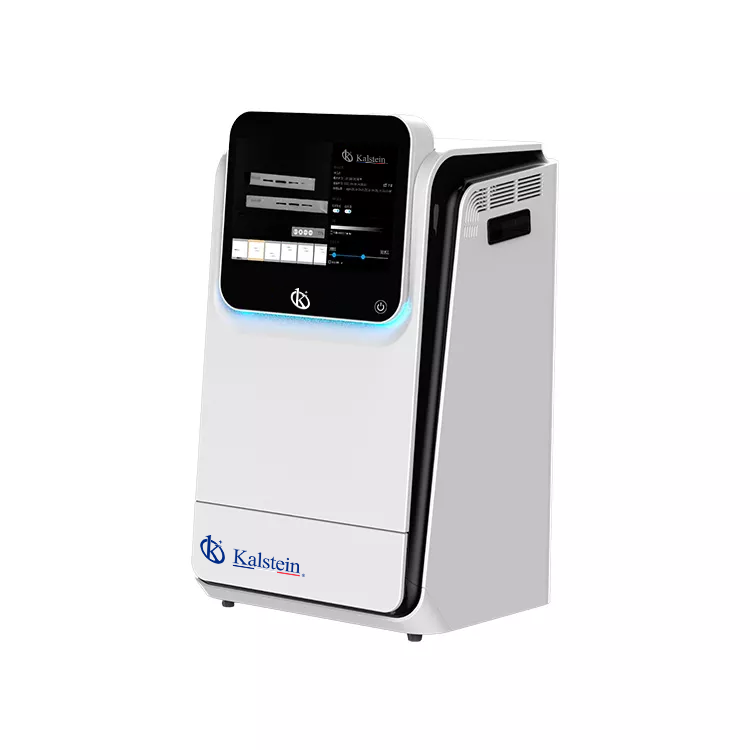
Troubleshooting Common Errors in the YR06211 Multifunctional Imager
The YR06211 Multifunctional Imager is designed to provide high performance in fluorescence and chemiluminescence detection, as well as general gel documentation applications. However, like all advanced laboratory equipment, users may encounter specific errors that can hinder its functionality. Understanding these errors and having effective troubleshooting techniques at hand can significantly enhance operational efficiency and productivity.
Common Symptoms and Troubleshooting Techniques
In this section, we will categorize common symptoms of errors associated with the YR06211 model, offer probable causes, and provide step-by-step solutions for resolution.
Equipment Does Not Power On
This is a critical issue that can prevent the use of the YR06211 imager. Below are common causes and solutions.
| Symptom | Possible Causes | Solutions |
|---|---|---|
| Equipment Does Not Power On | Power cable not connected; Faulty power source; Internal circuit failure | Check the power cable connection; Test another power outlet; Contact support for internal inspection |
Error Code E-03
The appearance of error code E-03 typically indicates a sensor malfunction. Users can take the following steps to address this issue.
| Symptom | Possible Causes | Solutions |
|---|---|---|
| Error Code E-03 | Sensor connection issue; Software bug; Hardware malfunction | Inspect sensor connections; Restart the software; Seek professional repair services |
Inconsistent Readings
Inconsistent readings can lead to inaccuracies in experimental results. Here’s how to troubleshoot.
| Symptom | Possible Causes | Solutions |
|---|---|---|
| Inconsistent Readings | Improper calibration; Sample contamination; Environmental factors | Re-calibrate the device; Ensure sample purity; Control environmental conditions |
Software Malfunctions
Software issues may arise from various factors affecting functionality. Below are some common software-related problems and solutions.
| Symptom | Possible Causes | Solutions |
|---|---|---|
| Software Malfunctions | Outdated software version; Compatibility issues; Corrupted files | Update to the latest software; Verify compatibility; Reinstall the software |
Camera Not Capturing Images
Failure of the camera to capture images can severely impact laboratory workflows. Here are troubleshooting steps.
| Symptom | Possible Causes | Solutions |
|---|---|---|
| Camera Not Capturing Images | Lens obstructions; Power issues; Camera settings | Clean the lens; Check power supply; Review camera settings and adjust |
Technical Specifications of the YR06211 Multifunctional Imager
| Model | YR06211 |
|---|---|
| Application | Chemiluminescence Imaging, Fluorescence Imaging, Gel Documentation |
| Sensor | Back illuminated SCMOS Sensor |
| Resolution | 9.0 Megapixels |
| Dynamic Range | 4.8 OD |
| Software | SHST Capture and Analysis Software for unlimited users |
Frequently Asked Questions
What should I do if my YR06211 imager shows an Error Code E-03?
If you encounter Error Code E-03, first check the sensor connections and ensure they are secure. If the issue persists, restart the software or contact technical support for further assistance.
How can I ensure that my YR06211 produces consistent readings?
To ensure consistent readings, regularly calibrate the device, use uncontaminated samples, and control environmental factors such as temperature and humidity during operation.
What are common causes of power failure in the YR06211?
Common causes of power failure include a disconnected power cable, issues with the power outlet, or internal circuit failures. Always check connections and test different outlets before seeking repairs.
What is the recommended action for software malfunctions in the YR06211?
In the event of software malfunctions, ensure that you are using the latest version of the software. If issues continue, verify compatibility with your operating system or reinstall the software as needed.
How do I clean the camera lens of my YR06211 imager?
To clean the camera lens, use a microfiber cloth slightly dampened with lens cleaner. Avoid using harsh chemicals that could damage the lens surface.
What are some preventative measures to avoid errors with the YR06211?
Preventative measures include regular maintenance checks, keeping the software updated, ensuring proper calibration, and maintaining environmental stability during operation.
Where can I request a quote for the YR06211 Multifunctional Imager?
You can request a quote for the YR06211 Multifunctional Imager through our dedicated channels for a quick response and competitive pricing.
If you are looking for a fusion of innovation and quality, you have come to the right place. At Kalstein, we offer you the luxury of exploring our exclusive catalog of laboratory equipment. We manufacture every device to the highest standards of excellence. Our intuitive and seamless online purchasing channels are designed for your convenience, securing the most competitive prices. Hesitate no longer — we bring science to life, it is time to become part of our community.