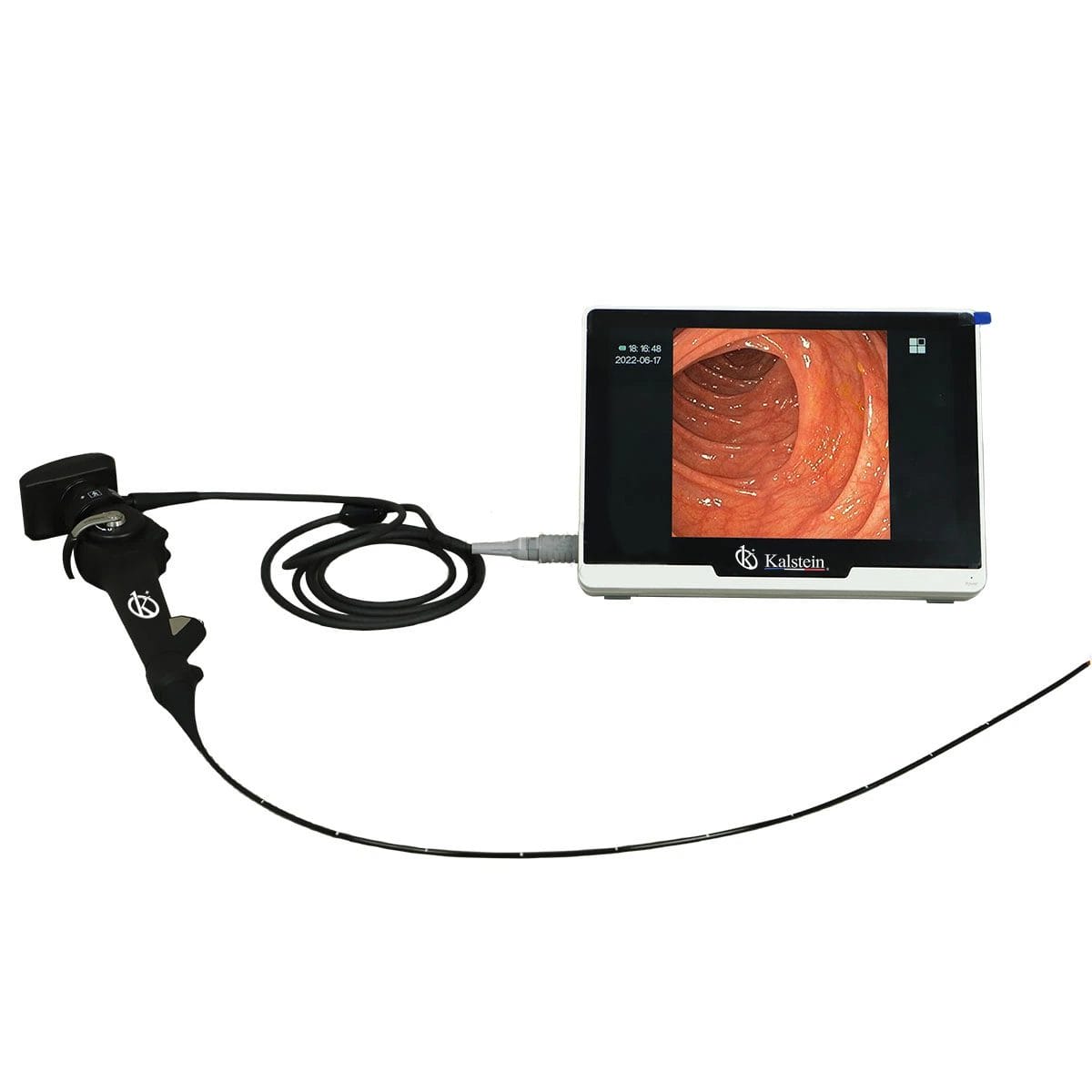
Troubleshooting Common Errors of the YR06153 Veterinary Endoscope: A Comprehensive Guide
The YR06153 Portable HD Veterinary Video Endoscope is a crucial tool in modern veterinary practices, enabling detailed internal examinations of animals. Despite its advanced technology, users may encounter various errors and symptoms that can hinder its functionality. This guide aims to provide a deep dive into troubleshooting common issues associated with the YR06153, offering practical solutions for veterinary professionals.
Understanding the YR06153: Key Features and Specifications
| Model | Diameter of Insertion Tube | Working Channel | Working Length | View Angle | View Depth | Range of Bending | Screen Size |
|---|---|---|---|---|---|---|---|
| YR06153 | 4.8 mm | 2.0 mm | 1000 mm | 120° | 3-200 mm | 180° (Up), 130° (Down), 120° (Right), 120° (Left) | 10 inches |
Troubleshooting by Symptoms
Equipment Does Not Power On
If the YR06153 endoscope fails to power on, check the following:
- Power Connection: Ensure the device is connected to a functional power source.
- Battery Charge: Verify that the battery is charged and properly seated.
- Fuse Check: Examine the internal fuses for any damage or disconnection.
Error Code E-03 Displayed
An E-03 error code typically indicates an issue with the video feed. Follow these steps:
- Cable Inspection: Inspect the video cable for any signs of wear or damage.
- Connection Verification: Ensure that all connections are secure and in the correct ports.
- Software Update: Check if a software update is available and perform the update if necessary.
Inconsistent Image Quality
If users experience inconsistent image quality, consider the following:
- Lens Cleaning: Regularly clean the lens with appropriate materials to remove any obstructions.
- Image Settings: Adjust the brightness and contrast settings via the control panel.
- Check for Interference: Ensure that there are no electronic devices nearby that could cause interference.
Symptom to Cause to Solution Table
| Symptom | Possible Cause | Solution |
|---|---|---|
| Equipment Does Not Power On | Power connection issue | Check connections and power source |
| Error Code E-03 Displayed | Video cable issue | Inspect and secure cable connections |
| Inconsistent Image Quality | Dirty lens or incorrect settings | Clean lens and adjust settings |
Maintenance Tips to Prevent Errors
To minimize the risk of encountering errors with the YR06153, follow these maintenance tips:
- Regular Cleaning: Clean the endoscope after each use to prevent buildup of debris.
- Software Updates: Regularly check for software updates to ensure optimal performance.
- Storage Conditions: Store the device in a dry, temperature-controlled environment to avoid damage.
Frequently Asked Questions
What are the common symptoms of malfunctioning YR06153?
Common symptoms include failure to power on, error codes like E-03, and inconsistent image quality. Each symptom can often be traced back to specific issues such as power connection problems, cable damage, or lens obstructions.
How can I extend the lifespan of my YR06153 endoscope?
Regular maintenance, proper cleaning after use, software updates, and appropriate storage conditions can significantly extend the device's lifespan. Always handle the equipment carefully to prevent physical damage.
What should I do if the image quality is poor?
If image quality is poor, check and clean the lens, adjust brightness and contrast settings, and ensure there is no external interference affecting the video feed.
Can I perform repairs on the YR06153 myself?
While some minor maintenance tasks can be performed by the user, it is advisable to consult a professional technician for repairs, especially those involving internal components or complex issues.
How often should I update the software of the YR06153?
It's recommended to check for software updates every few months, or whenever you notice performance issues. Keeping the software up to date ensures that the device runs smoothly and with the latest features.
What is the warranty period for the YR06153?
Typically, the YR06153 comes with a manufacturer warranty that covers defects in materials and workmanship for a specified period. Check the warranty information provided at the time of purchase for specific details.
Request a Quote
If you are looking for a fusion of innovation and quality, you have come to the right place. At Kalstein, we offer you the luxury of exploring our exclusive catalog of laboratory equipment. We manufacture every device to the highest standards of excellence. Our intuitive and seamless online purchasing channels are designed for your convenience, securing the most competitive prices. Hesitate no longer — we bring science to life, it is time to become part of our community.