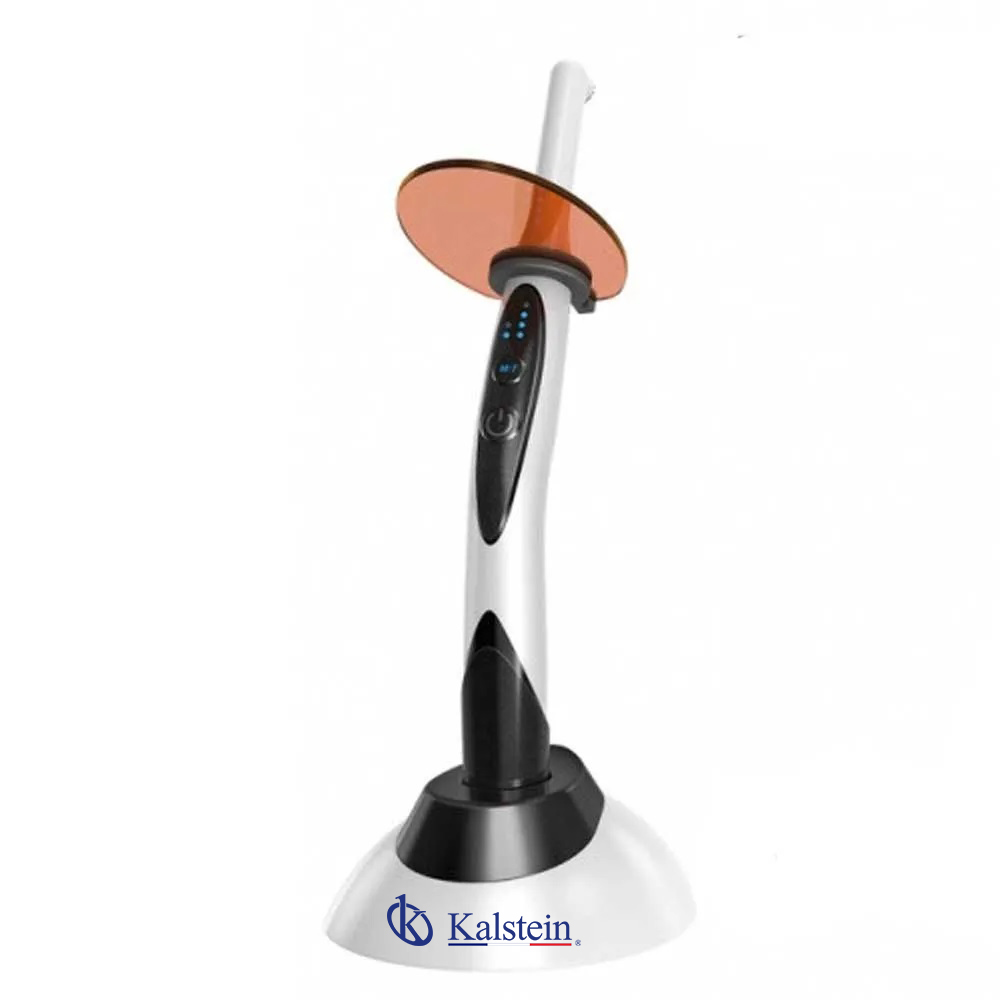
Installation and Startup Guide for the YR06012-OP3 Dental Accessories
The YR06012-OP3 dental accessories are a vital component in modern dental practices, aimed at enhancing operational efficiency and patient care. This installation and startup guide provides detailed instructions and insights to ensure the proper setup of the YR06012-OP3, enabling dental professionals to maximize their investment and deliver quality services.
Overview of the YR06012-OP3
The YR06012-OP3 model represents a significant advancement in dental accessories, designed to support various clinical applications with a focus on user-friendly operation. It is essential to understand the features and specifications of this equipment to ensure seamless integration into your dental practice.
| Model | Description | Used For |
|---|---|---|
| YR06012-OP3 | Light curing for dental applications | All our dental units |
Unboxing and Initial Setup
Upon receiving the YR06012-OP3, it is crucial to perform an unboxing checklist to ensure all components are present:
- Verify that the main unit is undamaged.
- Check for all included accessories.
- Ensure that the user manual is available.
Once verified, proceed with the initial setup:
- Place the unit on a stable surface, ensuring adequate clearance around it.
- Connect the power supply as indicated in the user manual.
- Power up the device and perform an initial calibration according to the specified guidelines.
Power-Up Sequence
The startup process involves specific steps to ensure the YR06012-OP3 operates optimally:
- Connect the power adapter to the device and plug it into a suitable power outlet.
- Press the power button and wait for the initialization process to complete.
- Once initialization is successful, the display will show the operational interface.
Refer to the user manual for detailed instructions on calibration and settings adjustments.
Common Setup Mistakes
During the installation of the YR06012-OP3, dental professionals may encounter challenges. Here are common mistakes to avoid:
- Not securing the unit on a stable surface, which can impact performance.
- Incorrect power supply connections, leading to operational issues.
- Failure to perform initial calibration, causing inaccurate results.
Maintenance and Care
To maintain the optimal performance of the YR06012-OP3, regular maintenance is essential. Here are key practices:
- Clean the unit regularly to prevent dust accumulation.
- Inspect electrical connections for wear or damage.
- Follow the manufacturer’s guidelines for any necessary servicing.
Frequently Asked Questions
What are the key features of the YR06012-OP3?
The YR06012-OP3 offers advanced light curing technology suitable for all dental units, enhancing treatment effectiveness and patient outcomes.
How do I calibrate the YR06012-OP3?
Calibration procedures involve following the specific instructions in the user manual, ensuring that the unit is set for precise measurements and optimal performance.
What common issues should I watch for during startup?
Watch for any error messages during startup, which may indicate incorrect setups or connectivity issues. Ensure all components are correctly installed before operation.
How do I maintain the YR06012-OP3 for long-term use?
Regular cleaning and following the recommended maintenance schedule will prolong the lifespan of the YR06012-OP3, ensuring consistent performance.
Can the YR06012-OP3 be integrated with other dental equipment?
Yes, the YR06012-OP3 is designed to be compatible with various dental units, making it a versatile addition to any practice.
Where can I find replacement parts for the YR06012-OP3?
Replacement parts can be ordered through authorized dealers, or by contacting the manufacturer directly for specific needs.
If you are looking for a fusion of innovation and quality, you have come to the right place. At Kalstein, we offer you the luxury of exploring our exclusive catalog of laboratory equipment. We manufacture every device to the highest standards of excellence. Our intuitive and seamless online purchasing channels are designed for your convenience, securing the most competitive prices. Hesitate no longer — we bring science to life, it is time to become part of our community.