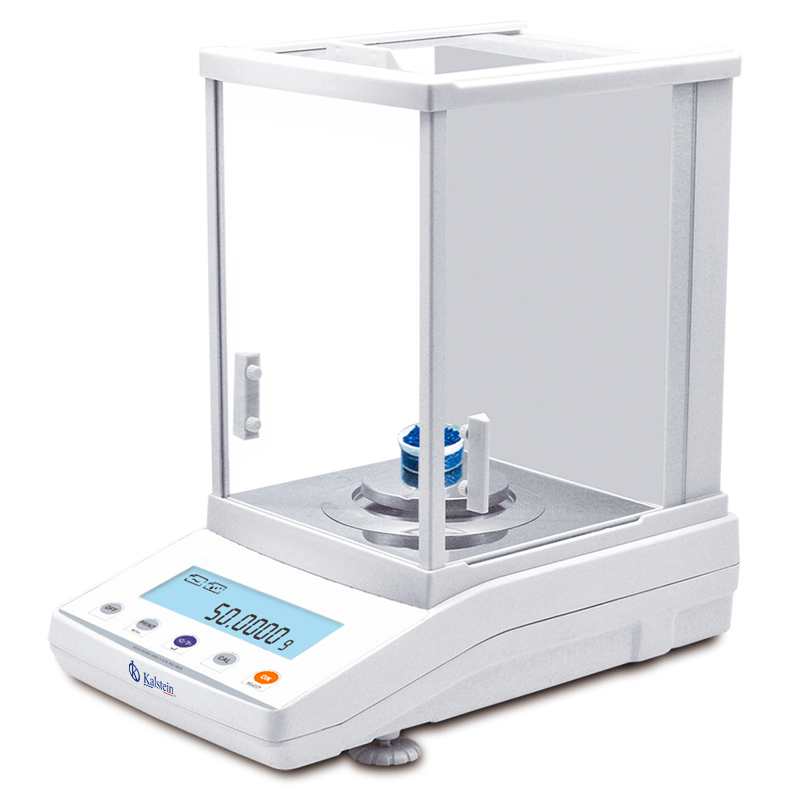
Installation and Startup Guide for the YR05583 Internal Calibration Analytical Balance
The YR05583 Internal Calibration Analytical Balance is designed to provide precise measurements in laboratory and industrial settings. Proper installation and setup are crucial to ensure accuracy and reliability. This guide will walk you through the essential steps for installing and starting up the YR05583, ensuring optimal performance from the outset.
Unboxing and Initial Inspection
Upon receiving the YR05583, carefully unbox the unit and check for any shipping damage. Ensure that all components are included as per the unboxing checklist:
- YR05583 analytical balance
- Power cable
- User manual
- Calibration weights (if included)
- Protection cover
Inspect for any physical damages or missing parts. If any discrepancies are found, contact your supplier immediately.
Site Preparation and Requirements
Before proceeding with the installation, ensure the site meets the requirements for optimal performance:
- Temperature range: 15-35 °C
- Humidity: 30-80% relative humidity (non-condensing)
- Vibration-free surface
- Electrical supply: Verify voltage compatibility
Additionally, maintain a clear area around the balance to avoid interference from environmental factors. A site-preparation checklist is provided below:
| Requirement | Description |
|---|---|
| Temperature | Maintain between 15-35 °C |
| Humidity | 30-80% relative humidity |
| Vibration | Ensure the surface is stable and vibration-free |
| Power Supply | Check voltage and frequency specifications |
Leveling and Anchoring the Balance
To ensure accurate measurements, leveling the YR05583 is essential. Use the built-in leveling feet to adjust the balance until the bubble level is centered. Follow these steps:
- Place the balance on the prepared surface.
- Adjust the leveling feet until the balance is level.
- Recheck the level after placing the balance on the surface.
This adjustment will eliminate measurement inaccuracies due to tilting.
Power-Up Sequence
Once leveled, connect the power cable and turn on the YR05583. Observe the startup sequence, which includes:
- Self-check diagnostics
- Display initialization
Wait for the balance to complete its self-check before proceeding to the calibration phase.
Initial Calibration and First Run
The YR05583 features an internal calibration system that simplifies the calibration process. To perform the first calibration:
- Access the calibration function through the menu.
- Follow the prompts to use the internal weights for calibration.
- After calibration, perform a test measurement with known weights to verify accuracy.
Document the calibration results as part of your quality assurance protocol.
Common Setup Mistakes to Avoid
While setting up the YR05583, be mindful of these common mistakes:
- Installing on an uneven surface
- Ignoring environmental conditions like airflow and vibration
- Failing to perform an initial calibration
Avoiding these pitfalls will enhance the performance and reliability of your analytical balance.
Technical Specifications Table for YR05583
| Model | Brand | Category | Subcategory | Net Weight (kg) | Gross Weight (kg) | Price (USD) |
|---|---|---|---|---|---|---|
| YR05583 | Kalstein | Balances | Analytical Balance | 10 | 11 | 300.00 |
Frequently Asked Questions
What is the maximum capacity of the YR05583 analytical balance?
The YR05583 has a maximum capacity of 220 grams, making it suitable for a wide range of laboratory applications.
How does internal calibration work in the YR05583?
The YR05583 features an internal calibration system that automatically adjusts the balance for accuracy, eliminating the need for manual calibration with external weights.
What are the recommended maintenance practices for the YR05583?
Regularly check calibration, keep the balance clean, and ensure it is used in a stable environment to maintain its performance and lifespan.
Can the YR05583 be connected to a printer?
Yes, the YR05583 allows for connection to a printer for easy documentation of measurements and results.
What should I do if the balance shows an error code?
Refer to the user manual for troubleshooting steps based on the specific error code displayed. Common solutions include recalibrating the balance or checking for environmental interferences.
Is the YR05583 suitable for use in clinical laboratories?
Yes, the YR05583 is designed for high-precision measurements and is ideal for use in clinical laboratory settings.
What are the dimensions of the YR05583 analytical balance?
The dimensions of the YR05583 are 340x215x350 mm, making it a compact and efficient addition to any lab space.
To optimize your weighing processes with the YR05583, request a quote today. Explore how this advanced analytical balance can enhance your laboratory operations.
If you are looking for a fusion of innovation and quality, you have come to the right place. At Kalstein, we offer you the luxury of exploring our exclusive catalog of laboratory equipment. We manufacture every device to the highest standards of excellence. Our intuitive and seamless online purchasing channels are designed for your convenience, securing the most competitive prices. Hesitate no longer — we bring science to life, it is time to become part of our community.