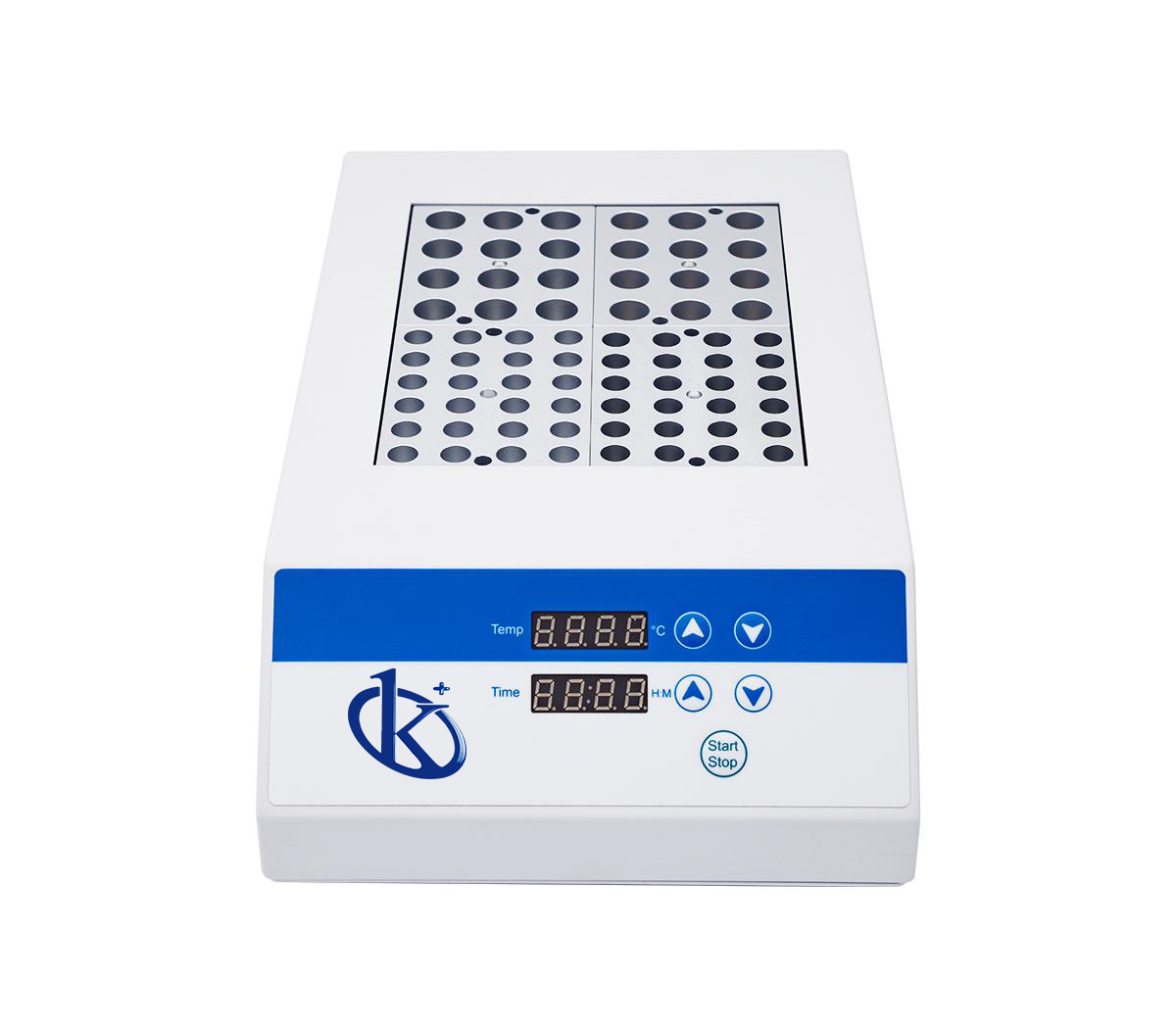
Installation and Commissioning Guide for the YR05899 Dry Bath Incubator
The YR05899 Dry Bath Incubator is a versatile laboratory instrument designed for precise temperature control applications. This guide will provide you with a comprehensive overview of how to properly install and commission the YR05899 to ensure optimal performance.
Understanding the YR05899 Dry Bath Incubator
The YR05899 is microcomputer-controlled, widely utilized for sample preservation, reaction facilitation, DNA amplification, and more. A fundamental understanding of this equipment is essential for effective installation and use.
Technical Specifications of YR05899
| Specification | Details |
|---|---|
| Model | YR05899 |
| Temperature Control Range | RT + 5℃ to 150℃ |
| Heating Speed | ≤ 10M (20℃ to 100℃), ≤ 30M (20℃ to 150℃) |
| Temperature Stability @ 40℃ | ±0.3℃ |
| Temperature Stability @ 100℃ | ±0.5℃ |
| Temperature Stability @ 120℃ | ±1℃ |
| Display Accuracy | 0.1℃ |
| Timer | 0 to 99 hours 59 minutes |
| Maximum Temperature | 150℃ |
| Power | 600W |
Unboxing and Initial Setup
When you receive your YR05899, carefully unbox the unit and check for any visible damage. Inside the box, you will find:
- YR05899 Dry Bath Incubator
- User manual
- Power cord
- Accessory blocks (if included)
Ensure that all components are present before proceeding with the installation.
Site Requirements for Installation
Before installing the YR05899, make sure your workspace meets the following conditions:
- Stable temperature between 15℃ and 30℃
- Low humidity levels, preferably below 70%
- Power supply of 220V, 50Hz
- Ample space for ventilation, at least 10 cm around the unit
- A sturdy laboratory bench to hold the incubator's weight (approximately 10 kg)
Anchoring and Leveling the Incubator
Once the site checks are complete, position the YR05899 on the lab bench. To ensure stability and accurate temperature readings, perform the following steps:
- Use a level to verify that the incubator is flat.
- If necessary, adjust the feet of the incubator to achieve a level surface.
Power-Up Sequence
To initiate the YR05899, follow these steps:
- Connect the power cord to the incubator and plug it into the wall outlet.
- Press the power button located on the front panel.
- Allow the unit to run through its self-diagnostic checks.
If any error codes appear, refer to the user manual for troubleshooting instructions.
Calibrating the YR05899
Calibration is essential for ensuring the accuracy of your incubator. Follow these steps to calibrate your YR05899:
- Set the desired temperature on the display.
- Using a calibrated thermometer, place it inside the incubator.
- Once the temperature stabilizes, compare the readings.
- If discrepancies are noted, adjust the temperature settings accordingly.
Common Installation Mistakes
Here are a few common errors to avoid during installation:
- Not ensuring the unit is on a level surface, which can lead to inaccurate temperature readings.
- Connecting to an unstable power supply.
- Ignoring the environmental requirements for optimal performance.
Frequently Asked Questions
What should I do if the YR05899 does not power on?
Firstly, check if the power cord is securely connected to both the incubator and the outlet. Ensure that the outlet is functional by testing it with another device. If the problem persists, consult the user manual for troubleshooting steps.
How can I ensure the temperature accuracy of the YR05899?
Regular calibration is essential for maintaining temperature accuracy. Utilize a certified thermometer to compare readings, adjusting the settings as needed. Additionally, perform routine checks to ensure the stability of the incubator.
What are the safety features of the YR05899?
The YR05899 comes equipped with automatic fault detection and an alarm system that alerts the user in case of temperature deviations. It also features built-in protection against overheating.
How do I clean and maintain the YR05899?
Cleaning should be performed regularly to prevent contamination. Use a soft cloth and a mild cleaning solution to wipe the outer surfaces. Ensure that all blocks and accessories are cleaned and disinfected according to laboratory protocols.
Can the YR05899 be used for multiple applications?
Yes, the YR05899 is versatile and suitable for various applications including sample preservation, DNA amplification, and coagulation processes among others, making it an essential tool in laboratory settings.
Where can I find replacement parts for the YR05899?
Replacement parts and accessories for the YR05899 can be ordered through authorized distributors or directly from the manufacturer. Always ensure the compatibility of parts with your model.
Conclusion
If you are looking for a fusion of innovation and quality, you have come to the right place. At Kalstein, we offer you the luxury of exploring our exclusive catalog of laboratory equipment. We manufacture every device to the highest standards of excellence. Our intuitive and seamless online purchasing channels are designed for your convenience, securing the most competitive prices. Hesitate no longer — we bring science to life, it is time to become part of our community.