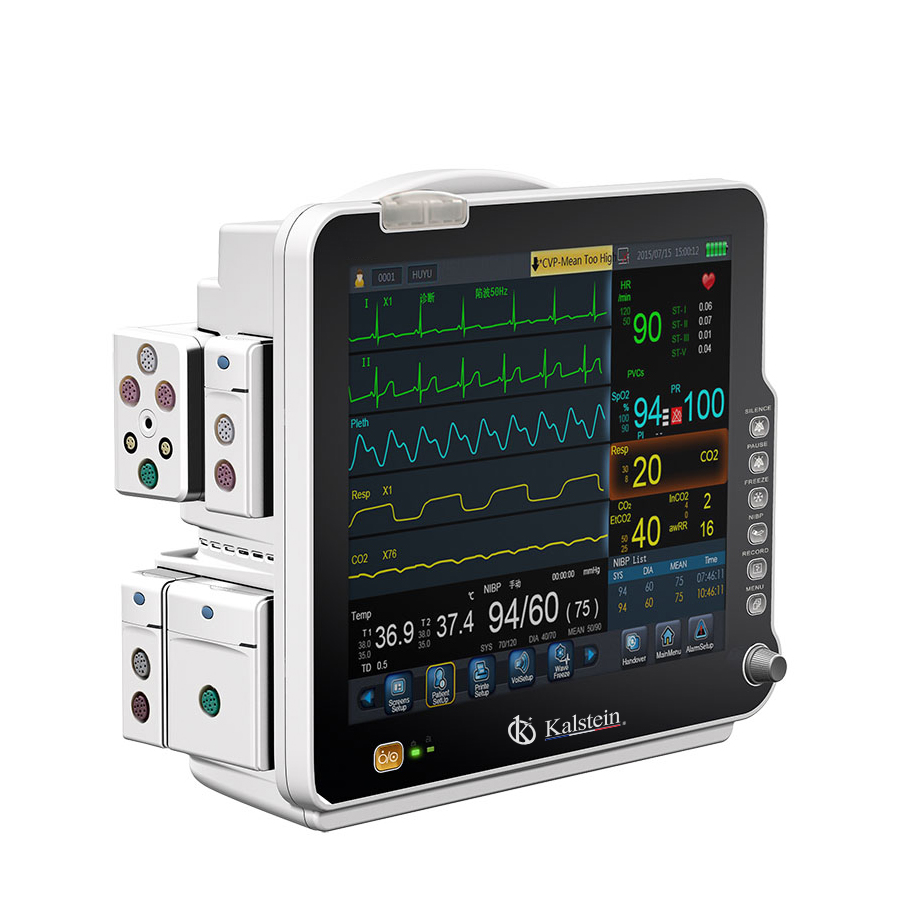
Understanding Environmental Conditions and Installation Requirements for the YR02177 Patient Monitor
The YR02177 Patient Monitor is a pivotal tool in healthcare settings, specifically designed for critical care environments. Proper installation and understanding of environmental conditions are paramount to ensure the accuracy and reliability of the monitor’s readings. This article will guide you through the essential requirements and considerations for optimal operation of the YR02177.
Environmental Conditions for the YR02177
The YR02177 Patient Monitor must be operated within specific environmental thresholds to function correctly. Understanding these conditions will aid in maintaining its performance.
- Temperature Range: The device should be operated between 10°C and 40°C (50°F to 104°F) to ensure optimal functionality.
- Humidity: Ideal relative humidity is between 30% and 75%, which prevents condensation and ensures sensor integrity.
- Voltage and Frequency: The monitor is designed to operate at a frequency of 50/60 Hz and requires a stable voltage supply. Ensure that the power supply meets the specified voltage requirements to prevent damage.
- Ventilation: Adequate ventilation must be provided to avoid heat accumulation. Ensure that airflow is unobstructed around the device.
- Vibration and Electromagnetic Interference (EMI): The monitor should be located in an area with minimal vibrations and electromagnetic interference to ensure accurate readings.
Installation Requirements for the YR02177
Installing the YR02177 Patient Monitor requires careful planning and setup. Here’s how you can ensure a smooth installation process.
- Unboxing Checklist: When unboxing, check for the monitor, power supply, user manual, and any optional accessories such as mounts or cables.
- Anchoring: If wall mounting is chosen, ensure that the wall is structurally sound and properly anchored to support the weight of the monitor.
- Leveling: Ensure the monitor is level during installation to provide accurate readings.
- Power-Up Sequence: Follow the power-up sequence as outlined in the user manual to initialize the device correctly.
- First-Run Calibration: Conduct a calibration check on first use to ensure all parameters are functioning within expected ranges.
- Network/USB Setup: For advanced features, connect to the hospital network and configure USB devices as per the installation guide.
- Validation of First Measurement: After installation, validate the first measurement against known standards to ensure accuracy.
- Common Setup Mistakes: Avoid common errors such as improper cable connections, incorrect voltage settings, or inadequate ventilation.
Technical Specifications of the YR02177
| Specification | Details |
|---|---|
| Model | YR02177 |
| Category | Patient Monitor |
| Price (USD) | 2068.00 |
| Weight | 8 kg |
| Dimensions | 57 x 39 x 53.5 cm |
Common Symptoms and Troubleshooting for the YR02177
Understanding potential issues that may arise during the operation of the YR02177 Patient Monitor is crucial for maintaining its reliability.
| Symptom | Probable Cause | Diagnostic Steps | Solution |
|---|---|---|---|
| Device does not power on | Power supply issue | Check power connection and voltage supply | Ensure proper connection and replace power supply if needed |
| Inconsistent readings | Environmental interference | Check for surrounding electronic devices | Relocate monitor away from potential interference |
| Error code E-03 | Calibration failure | Run calibration checks | Recalibrate the device as per the user manual |
Frequently Asked Questions
What are the optimal environmental conditions for the YR02177 Patient Monitor?
The optimal conditions include a temperature range of 10°C to 40°C, humidity between 30% and 75%, and a stable voltage supply at 50/60 Hz.
How can I ensure proper installation of the YR02177?
Follow the unboxing checklist, use proper anchoring methods, ensure leveling, and validate measurements during the initial setup.
What common issues might I encounter with the YR02177?
Common issues include power failures, inconsistent readings due to environmental factors, and calibration errors. Regular maintenance and proper installation can mitigate these risks.
How do I calibrate the YR02177 for the first time?
Calibration can be performed by following the specific steps outlined in the user manual. It is essential to validate the readings against known standards after calibration.
Is there a warranty for the YR02177 Patient Monitor?
Yes, the warranty details can be found in the user manual, typically covering parts and labor for a specified period. Always check for the latest warranty terms.
What should I do if I encounter an error code?
Error codes should be referenced in the user manual. For the YR02177, common codes include calibration and power supply issues. Follow the troubleshooting guide for each specific code.
Where can I find replacement parts for the YR02177?
Replacement parts can usually be found through authorized medical equipment suppliers or directly from the manufacturer’s customer service.
If you are looking for a fusion of innovation and quality, you have come to the right place. At Kalstein, we offer you the luxury of exploring our exclusive catalog of laboratory equipment. We manufacture every device to the highest standards of excellence. Our intuitive and seamless online purchasing channels are designed for your convenience, securing the most competitive prices. Hesitate no longer — we bring science to life, it is time to become part of our community.