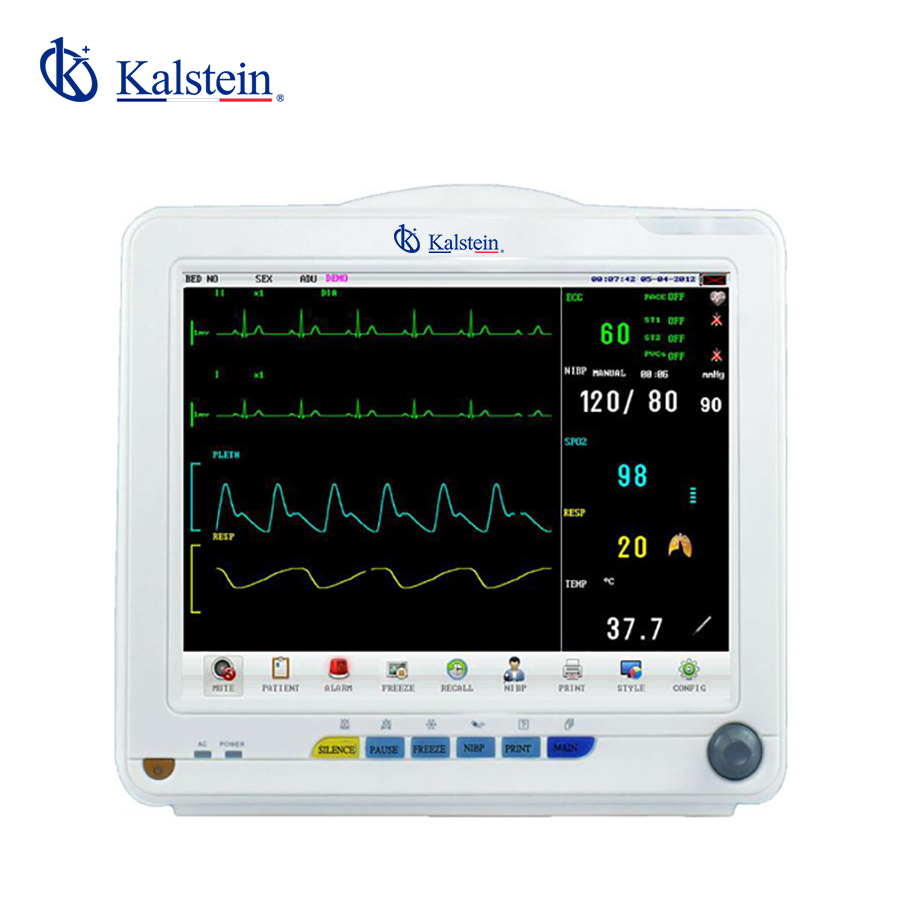
Understanding Environmental Conditions and Installation Requirements for the YR02172 Patient Monitor
The YR02172 patient monitor is designed for precision and reliability in various clinical environments. However, to maximize its performance, it is essential to consider the specific environmental conditions and installation requirements. This guide will delve into the critical aspects that need attention when setting up the YR02172, ensuring optimal functionality and accuracy.
Key Environmental Conditions for the YR02172
The YR02172 operates effectively under specific environmental conditions. Understanding these parameters is crucial for maintaining the integrity of the data and the functionality of the monitor.
- Temperature Range: The optimal operating temperature for the YR02172 is between 0°C and 40°C (32°F to 104°F). Exceeding this range can cause inaccurate readings or potential damage to the device.
- Humidity Levels: Relative humidity should be maintained between 10% and 95%, non-condensing. High humidity levels can lead to moisture damage and electrical failures.
- Altitude: The monitor should be used at altitudes below 3000 meters (approximately 9800 feet). Higher altitudes may affect the device's accuracy and performance.
- Vibration and Shock: Install the YR02172 in a location with minimal vibration. Excessive vibration can affect the monitor's readings and overall stability.
- Electromagnetic Interference (EMI): Keep the monitor away from strong electromagnetic fields to avoid interference that can distort measurements.
Installation Checklist for the YR02172
Proper installation is pivotal for the YR02172’s performance. Here is a comprehensive checklist for its installation.
- Unbox the YR02172 and verify all components are included as per the product manual.
- Ensure the installation site meets the environmental conditions outlined above.
- Securely mount the monitor at eye level for optimal visibility.
- Connect the power supply and ensure it is suitable for the device specifications (AC/DC).
- Establish wired or wireless network connections as required.
- Power up the device and follow the initial calibration process detailed in the user manual.
- Run a diagnostic check to confirm all systems are functioning correctly.
First Run Calibration and Validation
Once the initial setup is complete, calibration is essential for ensuring accurate readings. Follow these steps for a successful calibration process:
- Refer to the user manual for calibration procedures specific to the YR02172.
- Use certified calibration standards to validate measurements.
- Document the calibration results for future reference.
- Conduct several test measurements to verify consistency and accuracy.
Common Installation Mistakes to Avoid
To ensure the YR02172 operates efficiently, avoid the following common installation mistakes:
- Ignoring Environmental Conditions: Not adhering to the specified temperature and humidity ranges can lead to equipment failure.
- Poor Cable Management: Ensure all cables are managed neatly to avoid tripping hazards and damage.
- Incorrect Power Supply Connection: Verify that the power supply matches the requirements of the YR02172.
- Inadequate Space: Allow sufficient space around the monitor for ventilation and access to ports.
Technical Specifications of the YR02172
| Specification | Details |
|---|---|
| Model | YR02172 |
| Brand | Kalstein |
| Category | Patient Monitor |
| Price (USD) | $388.00 |
| Weight (Gross) | 5.5 kg |
| Dimensions | x x |
| Package Dimensions | 41 x 28 x 36 cm |
Frequently Asked Questions
What environmental conditions are required for the optimal operation of the YR02172 Patient Monitor?
The YR02172 requires a temperature range of 0°C to 40°C and humidity levels between 10% and 95% (non-condensing) for optimal operation.
How should I install the YR02172 Patient Monitor?
Ensure it is mounted at eye level, connected to a suitable power supply, and calibrated properly after installation to guarantee accurate readings.
What are common mistakes made during the installation of the YR02172?
Common mistakes include ignoring environmental specifications, poor cable management, incorrect power supply connections, and inadequate spacing for ventilation.
How can I validate the readings on the YR02172 after installation?
Conduct a calibration using certified standards and perform test measurements to confirm accuracy and consistency.
Is the YR02172 suitable for use at high altitudes?
No, it is recommended to use the YR02172 at altitudes below 3000 meters (approximately 9800 feet) to ensure proper functionality.
What type of power supply is compatible with the YR02172?
The YR02172 operates with both AC and DC power supplies, but it is essential to check the specifications in the user manual.
Can I connect the YR02172 to a wireless network?
Yes, the YR02172 supports both wired and wireless network connections as per installation requirements.
If you are looking for a fusion of innovation and quality, you have come to the right place. At Kalstein, we offer you the luxury of exploring our exclusive catalog of laboratory equipment. We manufacture every device to the highest standards of excellence. Our intuitive and seamless online purchasing channels are designed for your convenience, securing the most competitive prices. Hesitate no longer — we bring science to life, it is time to become part of our community.