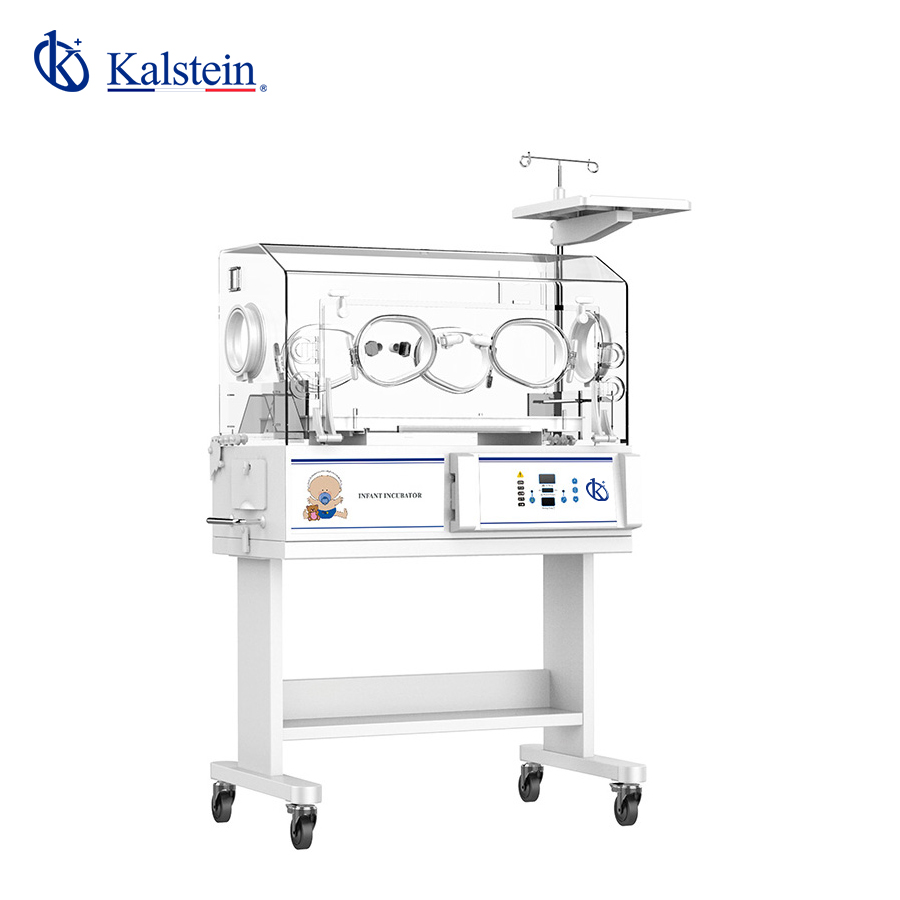
Common Errors and Troubleshooting by Symptom for the YR02182 Infant Phototherapy Incubator
The YR02182 Infant Phototherapy Incubator combines the features of a neonatal incubator and phototherapy for treating jaundice in newborns. While it is designed for reliability and efficiency, users may encounter issues that require troubleshooting. Understanding common error symptoms and their solutions is vital for maintaining optimal performance.
Understanding the YR02182: Overview and Functionality
The YR02182 model serves a crucial role in neonatal care, specifically designed to manage infants with jaundice. It provides controlled temperature and phototherapy to ensure the infant's health and comfort. With its advanced features such as continuous light intensity adjustment and a self-checking function for safety, the YR02182 is equipped to handle a variety of clinical situations.
Technical Specifications of the YR02182
| Model | YR02182 |
|---|---|
| Temperature Control | Air and Skin |
| Light Therapy Unit | Upper and Lower Units |
| Alarm System | Audible and Visual |
| Humidity Control | Optional |
| Heating Capacity | Consistent with Alarming Feature |
| Weight | 92 kg |
| Dimensions | 108 x 64 x 112 cm |
Troubleshooting Common Symptoms
Issues with the YR02182 can often be traced back to specific symptoms. Below is a guide to common symptoms, their probable causes, and suggested solutions.
Equipment Does Not Power On
When the YR02182 does not power on, it can cause significant concern. Here are potential causes and solutions:
- Cause: Unplugged power source. Solution: Check the power cord and ensure it is plugged in securely.
- Cause: Faulty power outlet. Solution: Test the outlet with another device.
- Cause: Internal fuse blown. Solution: Inspect and replace the fuse if necessary.
Error Code E-03 Displayed
Error codes can be indicative of specific malfunctions. The E-03 code typically refers to temperature sensor issues:
- Cause: Disconnection of the temperature sensor. Solution: Reconnect the sensor and check for secure connections.
- Cause: Faulty temperature sensor. Solution: Replace the temperature sensor if necessary.
Inconsistent Temperature Readings
Inconsistent readings can lead to improper treatment:
- Cause: Airflow obstruction. Solution: Ensure no objects are blocking the airflow around the incubator.
- Cause: Calibration issues. Solution: Recalibrate the incubator according to manufacturer instructions.
Phototherapy Light Malfunction
If the phototherapy light is not functioning correctly, consider the following:
- Cause: Burned-out light bulbs. Solution: Inspect and replace bulbs as needed.
- Cause: Electrical failure in the light unit. Solution: Consult technical support for repairs.
Symptom-Cause-Solution Matrix
| Symptom | Possible Cause | Recommended Solution |
|---|---|---|
| Does not power on | Unplugged, fault in outlet | Check plugs and test outlet |
| Error code E-03 | Disconnected sensor | Reconnect sensor, replace if faulty |
| Inconsistent readings | Obstructed airflow | Clear the area around the incubator |
| Light malfunction | Burned-out bulbs | Inspect and replace bulbs |
Frequently Asked Questions
What are the main features of the YR02182 Infant Phototherapy Incubator?
The YR02182 features precise temperature control, adjustable light intensity for phototherapy, humidity control, and an audible alarm system to ensure the infant’s health is closely monitored.
How can I ensure the proper functioning of the YR02182?
Regular maintenance, including calibration and checking the power connections, can ensure that the YR02182 operates efficiently. It is also essential to keep the incubator clean and free from obstructions.
What should I do if the phototherapy light does not turn on?
If the phototherapy light does not activate, check for burned-out bulbs first. If the bulbs are functioning, check the electrical connections and consult the user manual for further troubleshooting steps.
How often should I calibrate the YR02182?
Calibration should be performed regularly as per the manufacturer’s recommendations, typically every six months or whenever issues arise.
What types of maintenance are required for the YR02182?
Maintenance includes regular cleaning, checking and replacing phototherapy bulbs, calibrating temperature sensors, and ensuring that the incubator is functioning within the specified parameters.
Conclusion
If you are looking for a fusion of innovation and quality, you have come to the right place. At Kalstein, we offer you the luxury of exploring our exclusive catalog of laboratory equipment. We manufacture every device to the highest standards of excellence. Our intuitive and seamless online purchasing channels are designed for your convenience, securing the most competitive prices. Hesitate no longer — we bring science to life, it is time to become part of our community.